
Windows 10 Start Menu gets a New Look
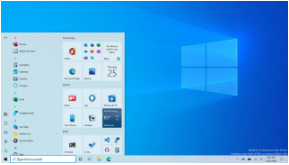
In the latest Insider Preview Build of Windows 10, Microsoft has made a visual change to the Start menu you can’t fail to notice. Build 20161 of Windows 10 on the Dev Channel introduces theme-aware tiles in the Start menu. The new-look works with both dark and light themes.
But you can also enhance the final look further by applying an accent color. This can be achieved by first turning on the dark theme and then navigating to Settings > Personalization > Color and enabling “Show accent color on the following surfaces ” for “Start, taskbar, and action center.”
Update by Yashika
For more updates click here